
Read the questions behind the message count.
The private, read-only archive lets you revisit a visitor’s question alongside the answer they received. When you want to compare several visits, download an Excel workbook for the period you are reviewing.

What words are visitors using for the same thing?
Suppose a community cinema publishes a guide to captioned screenings. One visitor asks about “subtitles” and another asks about “the words on the screen”. Reading the original questions can explain why people keep asking about something the cinema has already documented.
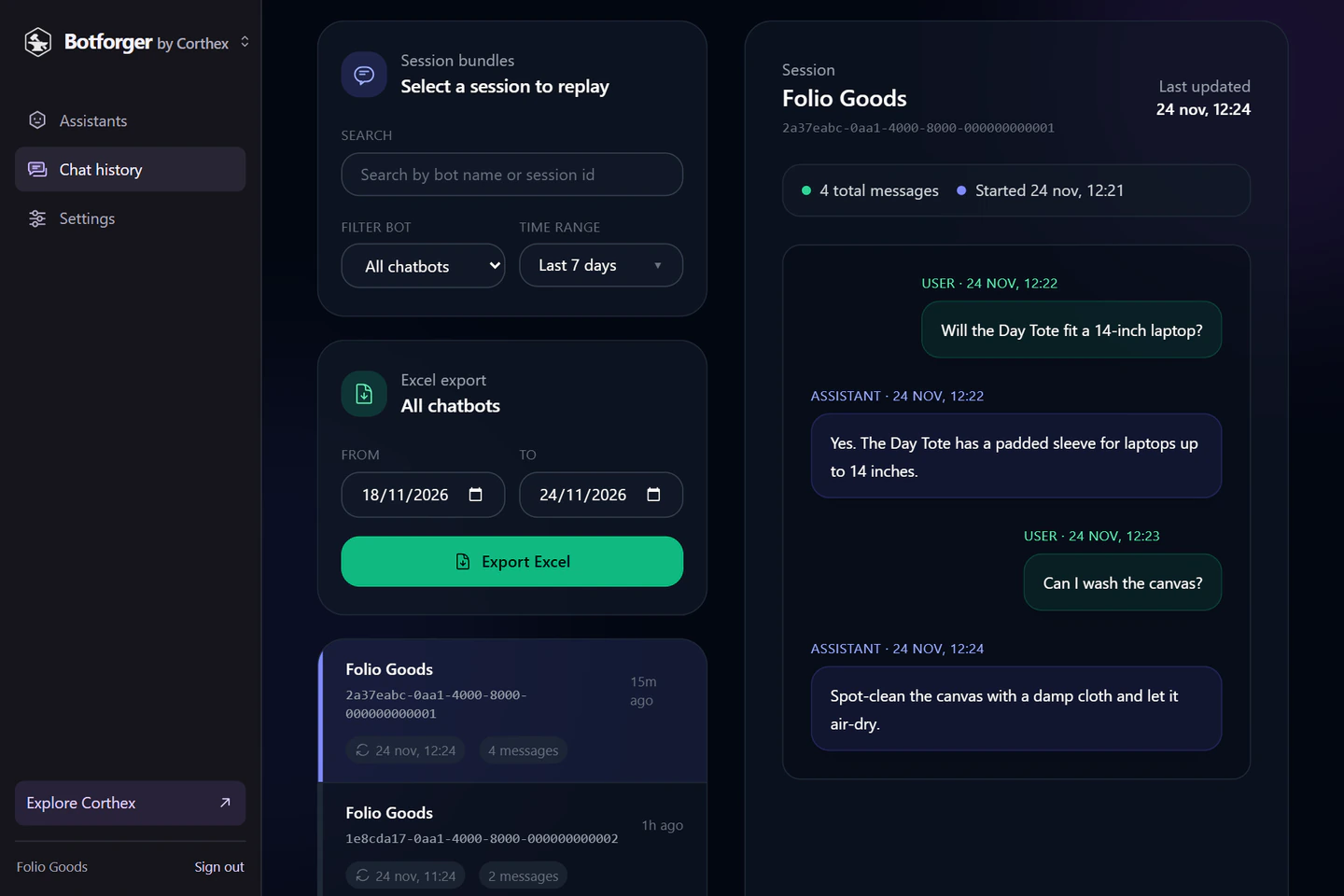
In the workspace, Chat history lets you search by assistant name or session ID. Open a session to read its messages in order. To look for a word across several conversations, export the period and search the Message column in Excel. The two searches serve different jobs.
Turn a recurring question into a better knowledge noteReview the questions from a screening weekend
Choose the assistant and weekend you want to investigate before opening the workbook.
Open Chat history in your workspaceFind the conversation
Open Chat history in your Botforger workspace. Use Today, Last 7 days, Last month or All time to filter by recent session activity. Last month covers the past 30 days. Use Refresh to fetch new activity.
Set the export dates
Select the assistant in Filter bot. In Excel export, set From to Friday and To to Sunday, then choose Export Excel. The file covers the start of Friday through the end of Sunday in your local time. You can review different dates in the session list.
Read the exchange around a match
In the Messages sheet, search for “subtitles”. Filter the Session ID column to the matching conversation to see the replies and follow-up questions included in the export. Use the visitor’s wording when revising the screening guide.
One conversation, three worksheets
Imagine the chosen assistant received two questions and sent two replies in a single visit on Saturday. These are the rows to look for in that Saturday’s workbook.
| Worksheet | What you would see | What you can check |
|---|---|---|
| Summary | One session, four messages, two user messages and two assistant messages. | The assistant and export period printed above the totals. |
| Sessions | One session ID with four messages in the export. | The session start and last update alongside the first and last message included in this period. |
| Messages | Four timestamped rows containing the role, text, session ID and message ID. | The exact words of the question and which reply prompted the follow-up. |
A session can cross midnight. An export for Saturday includes messages sent on Saturday, even if the conversation began on Friday.
Frequently asked questions
Where are the messages from my setup test?
The signed-in owner test uses your connected provider and returns the answer privately. Botforger saves completed visitor turns from the public widget in Chat history. Use the owner test when you want to check a change without adding a visitor session.
Does typing a session ID limit my download to that session?
The search box narrows the list on screen. The download uses the selected assistant and its own From and To dates. To examine a single session in the file, filter Messages by its session ID.
Where can I download the rest of my account data?
Open Settings and go to Data & privacy. Download account data gives you a JSON copy of your profile, assistants, knowledge files and conversation history. Provider secret keys are excluded from this download.